A LaTeX editor for Windows and macOS, focused on writing and revising mathematics.
Website · Download · Documentation · Editor comparison · FAQ
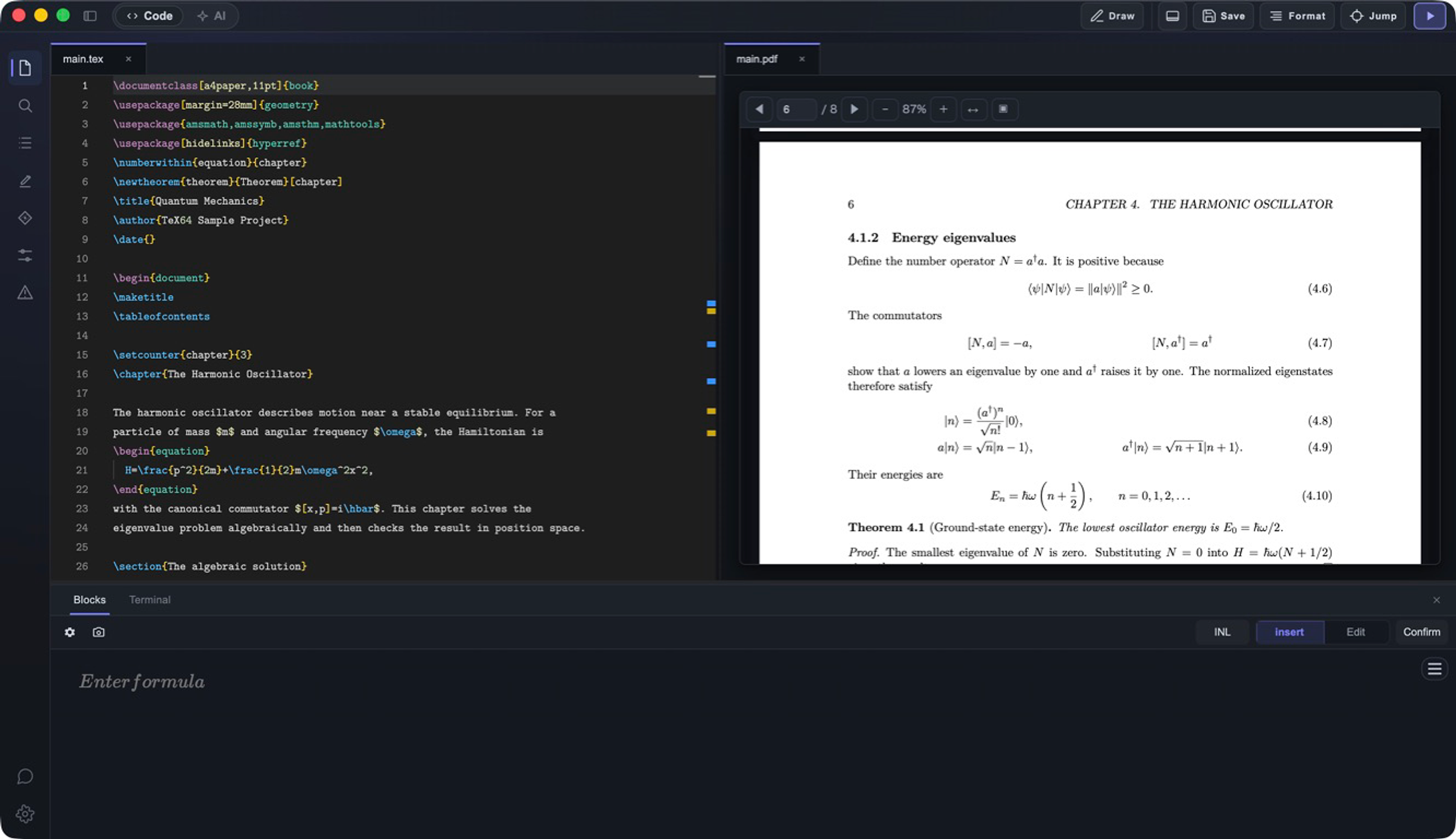
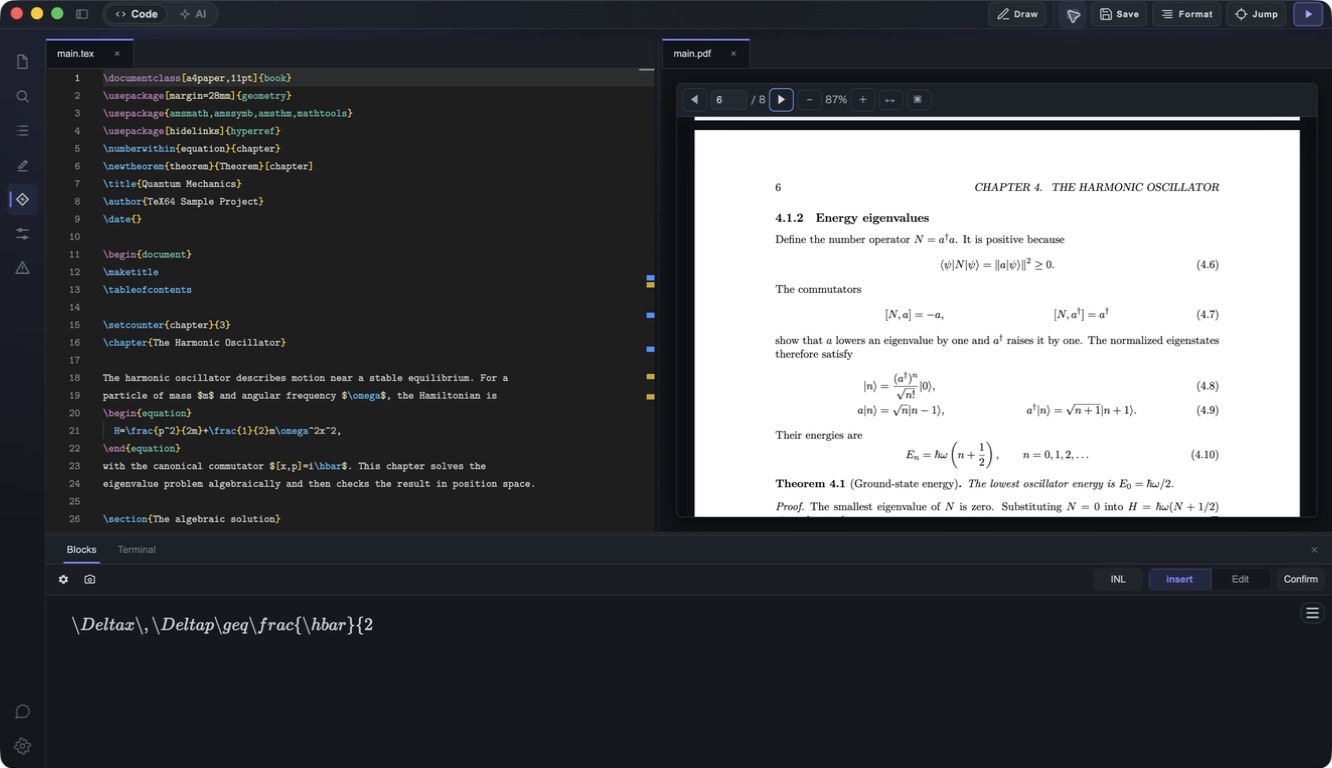
Write and revise equations visually, or import an equation image and edit the result in your document. TeX64 works with ordinary .tex files and project folders. Axiom provides online AI editing.
日本語: TeX64は、数式を見たまま入力・修正できるWindows・Mac用のTeXエディタです。画像の数式も、取り込んでその場で修正できます。製品の説明・TeXエディタの選び方。
- Visual equation editing: edit rendered mathematics and apply the result to your LaTeX source.
- On-device equation OCR: import an equation image, inspect the recognized LaTeX, correct it and insert it into the document. Recognition needs checking against the original image.
- Local PDF workflow: build with a TeX distribution, preview the PDF and move between source and output with SyncTeX.
- Axiom: ask an online assistant to work with files in the active project, inspect the applied changes and PDF, and undo changes when necessary. AI output still needs review.
- Ordinary project files: keep
.tex, images, bibliography files and styles in your project folder. Match the original engine and dependencies when migrating a project.
- Windows 10/11, x64: distributed through Microsoft Store and the official Store web installer.
- macOS 12 or later: Apple Silicon and Intel downloads.
- PDF builds require a TeX distribution. Use an existing compatible environment or approve TeX64's managed TeX Live installation. Initial installation and updates require internet access.
- Local editing, OCR and a prepared local TeX toolchain can be used offline. Axiom and account services require a network connection.
See getting started and TeX environment setup for current instructions. Download the editable example pack, including a Japanese LuaLaTeX report and complete source/PDF reference examples.
TeX64 is a candidate when visual equation editing and a local project workflow matter. Real-time coauthoring teams may prefer Overleaf; people already comfortable in VS Code may prefer LaTeX Workshop. The comparison guide describes requirements, alternatives and the scope of published interoperability evidence. It does not claim a measured performance ranking.
This is the public product-information and feedback repository maintained by Fermion Inc.. The desktop application's source is private. This repository is not an installer or an open-source release of the application.
Support · Report an issue · Privacy
Product information reviewed September 16, 2026. The website and official distribution channels carry current releases.