
Tavern is a modern, fast, and beautiful Homebrew client for Linux, built with Python, GTK 4, and Libadwaita. It provides a premium "App Store" experience for managing your Homebrew formulae and casks.
Flatpak (Linux, recommended, with automatic updates):
flatpak remote-add --user --if-not-exists tuna-os https://tunaos.org/flatpak/tuna-os.flatpakrepo
flatpak install --user tuna-os org.tunaos.tavern
Homebrew (macOS + Linux):
brew tap tuna-os/homebrew-tap && brew install --cask tuna-os/tap/tavernOn macOS this installs Tavern.app; on Linux it installs a prebuilt AppImage and symlinks it as tavern on your PATH.
Note
The Homebrew cask lives in the org-owned
tuna-os/homebrew-tap
(moved from the maintainer's personal tap, #79 —
tuna-os/homebrew-tap#3,
merged 2026-08-14). No personal-tap fallback is needed. The Flatpak
above remains the org-published, recommended channel either way.
Important
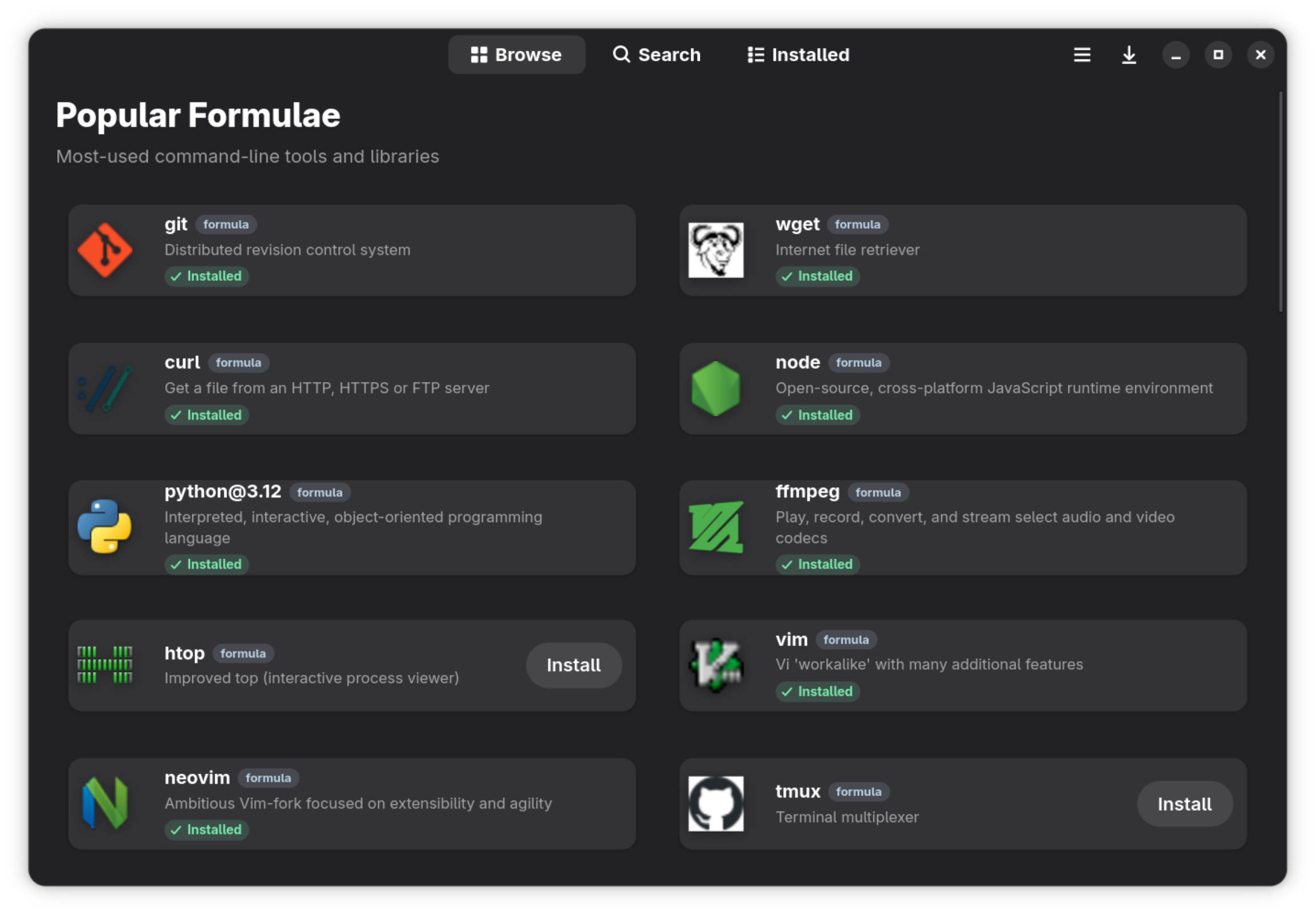


- 🏠 Curated Browse: Popular formulae and casks ranked by real install analytics, plus a daily Discover rotation.
- 🔍 Fast Search: Instant, off-main-thread searching across tens of thousands of formulae and casks (Ctrl+F), plus GNOME Shell search integration.
- 📦 Package Details: Rich information including descriptions, versions, dependencies, READMEs, screenshots, and install statistics.
- 🔤 Font Previews: Font casks render live pangram previews right on the details page.
- 📌 Version Pinning: Pin formulae and casks to their installed version; pinned packages stay out of update prompts.
- 📄 Brewfile Support: View complete Brewfiles and install all Homebrew-supported entry types without loss of options. Remove formulae and casks as a group.
- ⚡ Task Management: Queued installs, removals, and upgrades with per-package progress and a task panel.
- 🫖 Tap Manager: Add, remove, update, and trust Homebrew taps; browse tap contents.
- 🩺 Brew Doctor: Check Homebrew health, inspect warnings, retry, and copy diagnostic output.
- 🛠 Maintenance: Installed security scans, install previews, user services, cleanup previews, and a tool for historical formulae. See Homebrew features.
- 🌗 Native Design: Libadwaita interface following the GNOME HIG — dark mode, adaptive layouts, keyboard shortcuts, and a preferences dialog.
- 🐧 Linux First: Smart filtering to hide macOS-only casks on Linux systems.
The easiest way to install Tavern is via Homebrew using the org tap,
tuna-os/tap:
brew tap tuna-os/homebrew-tap
brew install --cask tuna-os/tap/tavern
Note
This is the org-owned channel (#79, tuna-os/homebrew-tap#3, merged 2026-08-14). On Linux the Flatpak is the org-published, recommended install.
The cask handles both platforms: Tavern.app on macOS and a prebuilt AppImage on Linux, so you don't need Tavern's build dependencies on your machine. If you'd prefer a sandboxed install on Linux, use the Flatpak instead (see below).
- Homebrew installed and in your PATH.
- Python 3.10+
- GTK 4 and Libadwaita development headers.
brew install gtk4 libadwaita meson ninja pygobject3 gettext desktop-file-utils blueprint-compiler
-
Clone the repository:
git clone https://github.com/tuna-os/Tavern.git cd Tavern -
Run the build and launch script:
./run.sh
meson setup builddir
meson compile -C builddirmeson compile -C builddir runTo get automatic updates directly through your software center (like GNOME Software or KDE Discover) or CLI, add the official tuna-os OCI remote:
flatpak remote-add --user --if-not-exists tuna-os https://tunaos.org/flatpak/tuna-os.flatpakrepo
flatpak install --user tuna-os org.tunaos.tavernIf you prefer to install a one-off nightly build from the main branch:
wget https://nightly.link/tuna-os/Tavern/workflows/flatpak/main/Tavern-Linux-CI.zip
unzip Tavern-Linux-CI.zip
flatpak install --user --reinstall Tavern-Linux-CI.flatpakContributions are welcome! See CONTRIBUTING.md for dev setup, tests, and PR guidelines.
Tavern is released under the GPL-3.0-or-later license. See LICENSE for details.
Part of the TunaOS ecosystem. Docs · Contributing